Online Banking
Sign Up!

The way we move money is changing. Paying with a paper check isn’t as common as it used to be – and it’s not always the safest choice. With check fraud on the rise and digital payments becoming easier than ever, it’s worth taking a closer look at how different payment methods stack up today.
Key Takeaways
Even though fewer people are writing checks, the Federal Reserve says check fraud is rising significantly. Checks, which often display your name, address, bank name and account number, are the payment method most susceptible to fraud, and unlike digital payments, they don’t offer alerts or instant verification.
The FBI says regulations require banks and credit unions to make check funds available in too short a window for consumers or financial institutions to find and stop the fraud, so criminals can often withdraw the funds before fraud is even discovered.
Fraudsters typically access checks and financial data through mail fraud, the FBI reports. They then “wash” the checks by using chemicals to alter the payee and financial amount or “cook” them by digitally changing an image of a stolen check.
In addition to being faster, more convenient and more cost effective than checks, digital payment platforms use multiple layers of security to protect your money and personal information, such as:
Encryption
This is a method of protecting data during transmission by rewriting something in a code that can only be interpreted with the right key. At Gate City Bank, all communication between you and our system is encrypted using a 128-bit mathematical process.
Multi-factor authentication
This is a layer of protection beyond a username and password that involves a second step in verifying your identity, such as through a text message with a temporary passcode, or a biometric factor like a fingerprint or facial scan.
Fraud monitoring
At Gate City Bank, our Fraud Detection Center works 24/7 to monitor your normal spending patterns and safeguard your accounts. If we detect or suspect fraudulent activity, we’ll contact you immediately at the phone number you’ve given us, and we’ll work with you until the situation is resolved.
Instant notifications
With mobile and online banking, you can set account alerts to notify you whenever your account is debited, so you can spot problems quickly. You can also track balances, transactions, deposits, transfers and progress on savings goals.
Tracking
Digital records make it easy to confirm when money was sent or received. Enrolling in mobile and online banking gives you immediate access to your accounts whenever and wherever you want.
While safer than checks, digital payments are not risk-free. That’s why it’s important to take proactive steps to protect your information and your finances by using strong passwords, private Wi-Fi and keeping your devices updated.

Sign up for fraud text alerts so Gate City Bank’s Fraud Detection Center can let you know right away if we detect suspicious activity.
Learn HowGetting started with digital payments is easier than you might think – especially when the payment method integrates directly with your bank account or debit card. With Zelle®, for example, which you can access from Gate City Bank’s online banking or mobile app, you can send money directly from your account to enrolled recipients in minutes.
All you have to do is:
Once you’re enrolled, you don’t have to do anything to receive money. It’ll be sent directly to your account.
To pay someone:
Another option is you can tap the QR code icon in the app, scan the recipient’s code, enter the amount you want to send and confirm the payment.
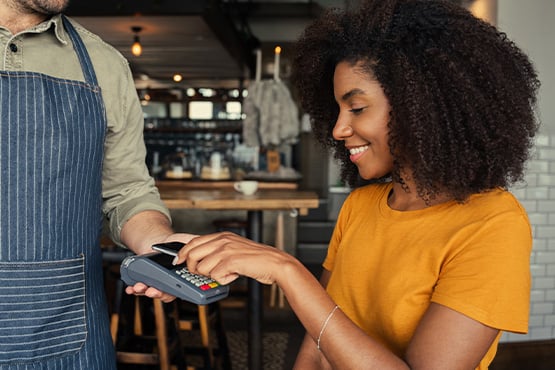
Other digital payment options include:
When choosing a digital payment method, look for trusted providers and always confirm you’re sending money to the right person.
Sign up for mobile banking, so you can quickly and easily make payments, transfer funds and check your accounts.
Learn HowMany people use a mix of both digital payments and checks, depending on the situation. While digital payments make sense for most situations, checks can be useful if you’re paying someone who doesn’t use digital payment apps and it doesn’t work to use cash.
If you do use checks, the FBI recommends the following 10 tips to protect yourself from fraud:
Do not leave mail in your mailbox overnight or for long periods of time.
Sign up for Informed Delivery® at USPS.com to receive daily email notifications of incoming mail and packages.
Use security envelopes when you send checks through the mail.
Send mail through the letter slots inside the post office or put it in a collection box as close to the posted pickup time as possible, before the last collection of the day.
When writing checks, use pens with indelible black ink, fill in the payee and amount lines, and don’t write personal details on your checks.
Follow up with the person you’re paying to make sure they received your check.
Review your checks through mobile or online banking to make sure they weren’t altered.
If you're a business owner, use positive pay to help detect and stop fraudulent checks.
Use checks with security features, like holograms and watermarks, to limit the effectiveness of check washing.
If you suspect fraud, contact your bank right away.
The bottom line? The shift from checks to digital payments isn’t only about convenience. It’s also about security, control and peace of mind. As technology continues to evolve, digital payments offer a safer and simpler way to handle everyday finances.
If you'd like to learn more, explore our online banking options, or stop by any of our convenient locations and a banker will be happy to help you.



Wherever life takes you, we make it easy to check your balance, set custom controls, pay bills and more – anytime, anywhere.

Explore nine essential tips for avoiding check fraud and keeping your finances safe and sound.

See five ways to help protect your personal information. Plus, learn how mobile banking apps with advanced features can strengthen your security and your experience.

Zelle® and the Zelle®-related marks are wholly owned by Early Warning Services, LLC, and are used herein under license.


